
Private transport across Saudi Arabia
support@saudicabco.comTravel and partnership desk
FIELD GUIDE 02 / 04

Partner dashboard guide

See how to accept work, add drivers, manage team journeys and follow each booking through completion.

YOU WILL LEARN TO
  • Review jobs assigned to you or your team
  • Add drivers for HQ approval and keep their details current
  • Track agreed terms, progress, history and payouts
Illustrative demoThe screenshots use fictional people, journeys and amounts. They show where to look; your signed-in dashboard is the source for your own information.
INTERACTIVE WALKTHROUGH

Follow the screen, one task at a time

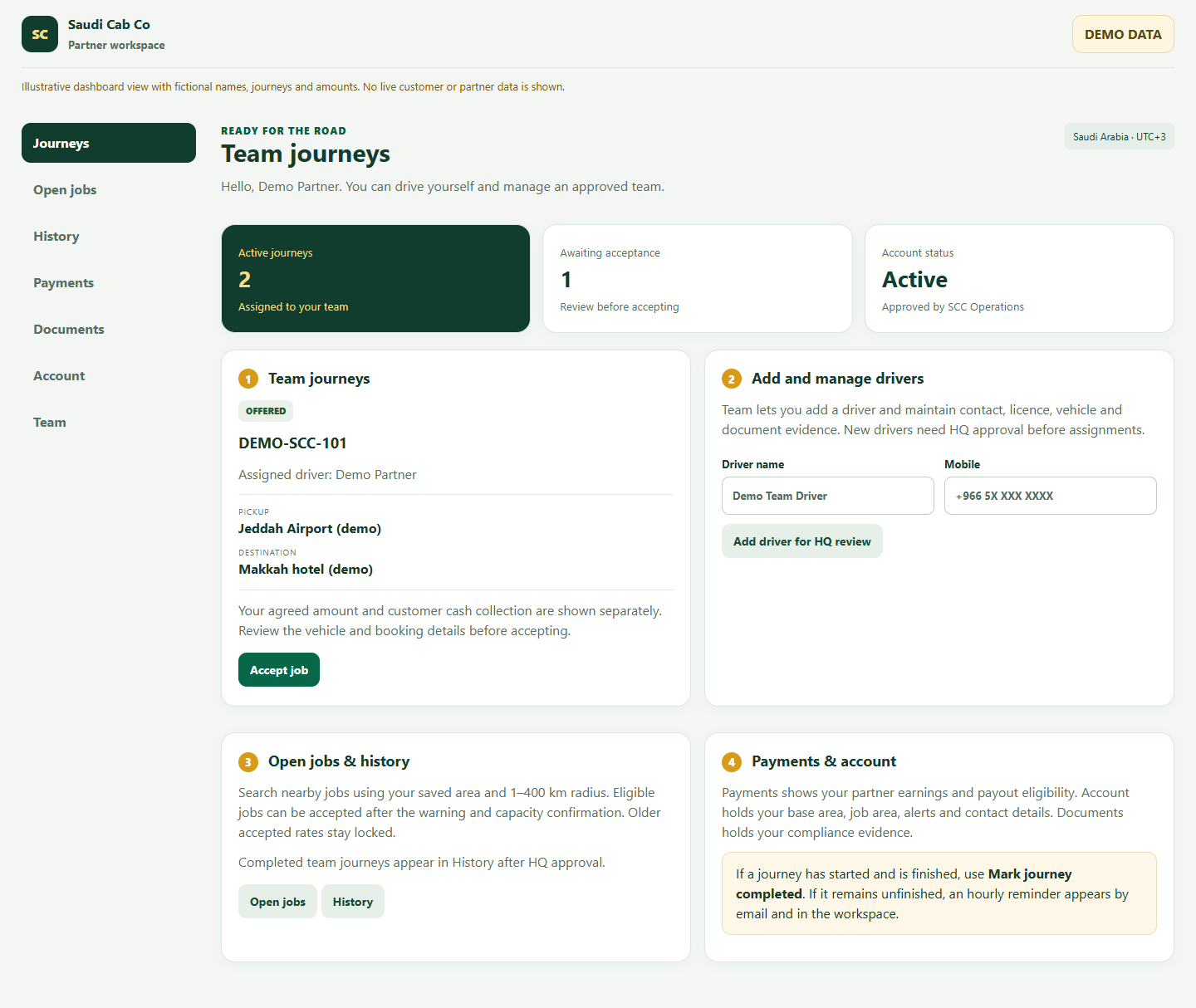
Choose a numbered task. The highlighted area moves on the picture, and the instructions below explain what to do. Switch between desktop and mobile at any time.

Illustrative demo screen
Annotated Partner dashboard desktop demo view
1
TASK 1 OF 4

Review team journeys

Journeys contains your own work and bookings assigned to your managed team.

  1. Open each offer to check the route, pickup time, requested vehicle, passengers, bags and instructions.
  2. Confirm which approved driver and vehicle will actually perform the journey.
  3. Check Cash to collect in the journey details and the agreed terms sent by Operations before accepting.
Before you continue

A partner can drive personally. Accept only when your team can fulfil the booking; the confirmation warns about the customer impact and possible account strike.

QUICK ANSWERS

Questions people ask

Can I accept a job for one of my drivers?

Use the partner controls for an approved managed driver. Check that the named driver and vehicle can fulfil the trip before accepting.

Can a new team driver take jobs immediately?

No. HQ approval and required compliance checks are needed before new assignments.

When does a completed journey enter History?

The partner reports completion after the trip; HQ then approves the booking completion. Completed or closed jobs remain in History.

READY TO CONTINUE?

Open your own dashboard

Use the signed-in view for your real journeys, account details and actions.

Book a journey →
Business and support contacts
UK business/contact address
20 Wenlock Road, London N1 7GU, United Kingdom
Saudi administration contact address
Quartz Building, Ash Shati - Al Kurnaysh, 4th Floor, Jeddah 23412, Saudi Arabia
Customer support
support@saudicabco.com
Policy enquiries
support@saudicabco.com