

Affiliate dashboard guide
Create a trackable referral link, monitor attributed bookings and understand when commission is available for payout.
- Read available, held and already paid commission
- Create and share a campaign link
- Review referred bookings and payout records
Follow the screen, one task at a time
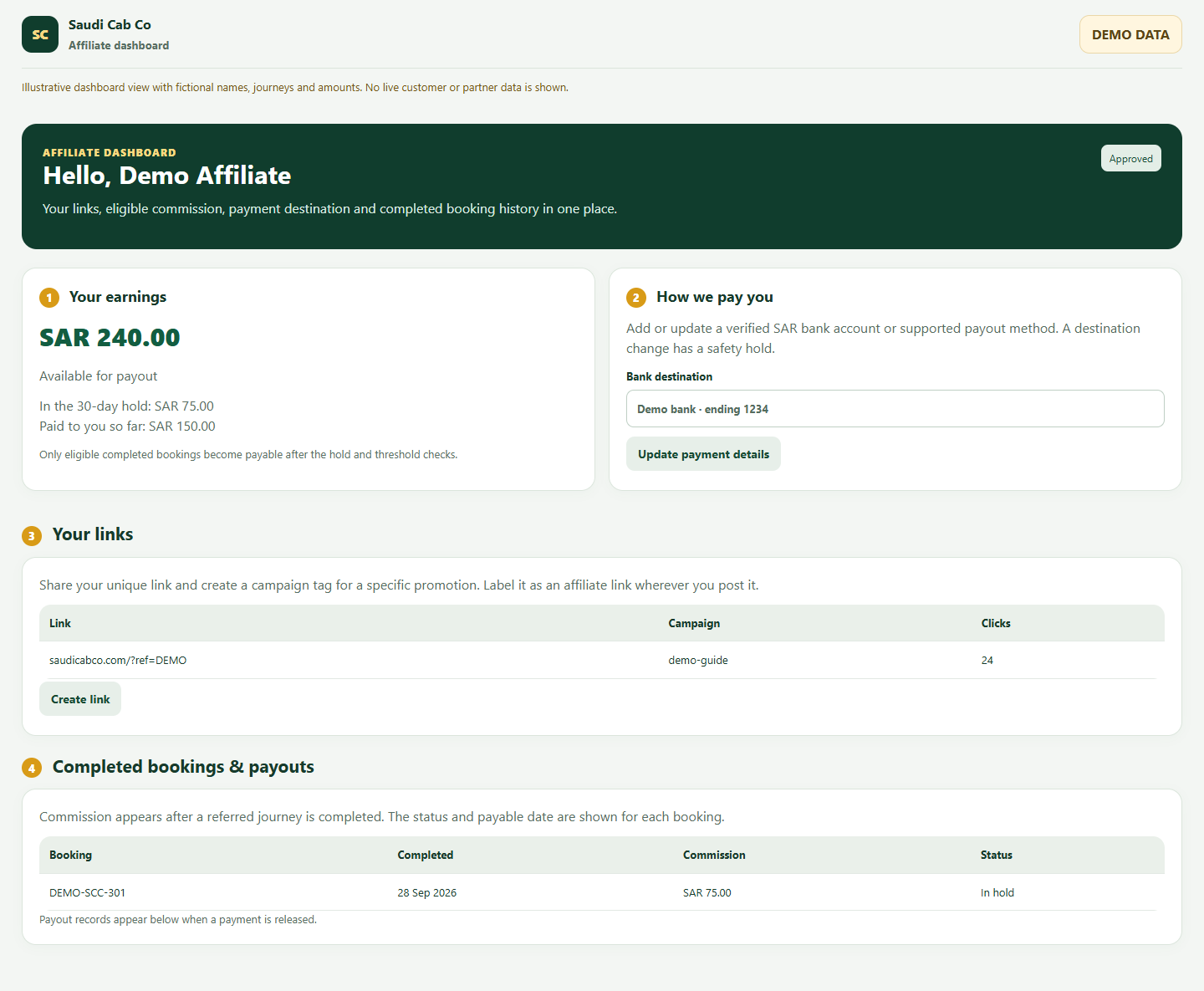
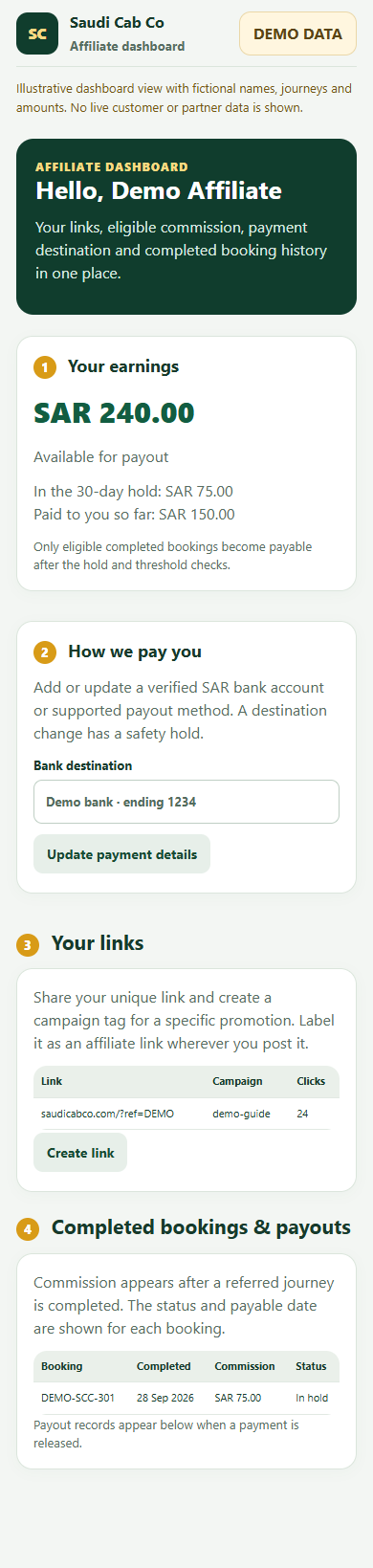
Choose a numbered task. The highlighted area moves on the picture, and the instructions below explain what to do. Switch between desktop and mobile at any time.
Read your earnings
The earnings cards separate amounts at different stages.
- Available is the commission currently eligible for payout under the programme rules.
- In the hold is attributed commission that has not finished its holding period.
- Paid to you so far is the amount already released.
A click or new booking is not the same as payable commission. Eligibility follows the completed booking and programme checks.
Set a payment destination
Use How we pay you to maintain the destination for eligible commission.
- Choose an available payout method and enter the required details.
- Check the destination summary before saving.
- Update the details promptly if the account or method changes.
A payout destination change can trigger a safety hold. Review the programme terms and any status shown in the dashboard.
Create and share your link
Your links records the referral URLs and campaign labels you create.
- Create a unique referral link in the dashboard.
- Add a clear campaign label when using the link in different places.
- Copy the generated URL and disclose that it is an affiliate link wherever you share it.
Use the exact generated link so visits and eligible bookings can be attributed to your account.
Review bookings and payouts
The lower dashboard sections show the result of referred journeys.
- Check the referred booking record and its completion status.
- Read the commission status and any hold or payable date.
- Review payout records after a payment is released.
If a completed booking is missing, contact support with your campaign details; do not publish customer details in a public message.
Questions people ask
Why is a click not in my available balance?
Clicks are visits. Commission depends on an eligible attributed booking being completed and passing programme checks.
What is the hold amount?
It is commission being held under the programme rules before it can become available for payout.
How do I separate campaigns?
Create a link or campaign label for each placement so you can compare their tracked visits and bookings.
Open your own dashboard
Use the signed-in view for your real journeys, account details and actions.